Waveform visualiser
Wet/dry waveform, gain reduction lines and threshold lines for compressor, clipper, and limiter.
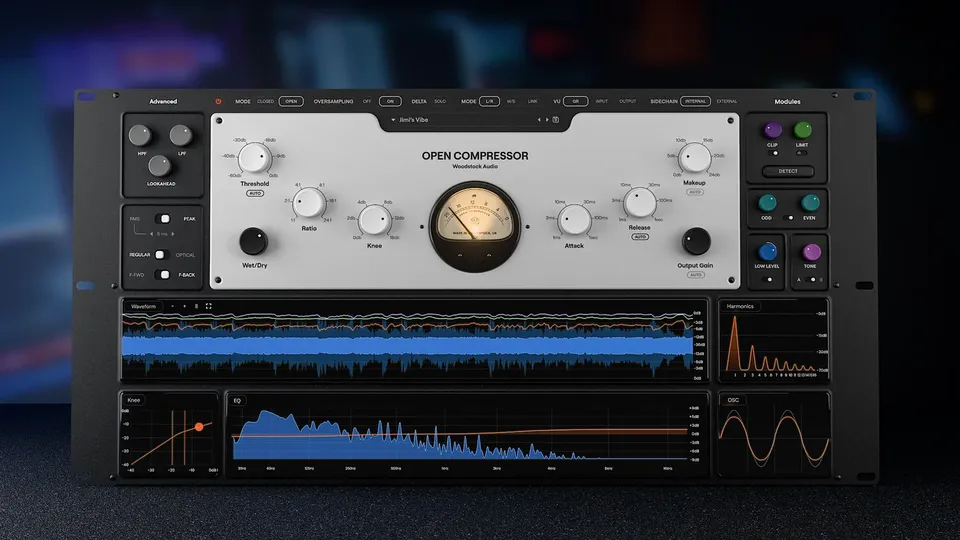
The all-in-one compressor that shows you under the hood

Open Compressor combines the core components of all your favourite compressors - plus Auto-Threshold, Clipping, Limiting, and more. But there’s a twist: by showing you exactly what’s happening under the hood at every stage, we help you develop a deeper understanding of the technical processes at play.
BLACK FRIDAY SALE: 60% off Open Compressor. Ends Monday, 30th November at 11:59pm Pacific.
Open Compressor’s confusion-free layout uses enhanced real-time visual analysis, an easy to navigate UI, and clear terminology, to bring you closer to your sound.
With a diverse range of processing tools at your fingertips, you can dial in the exact sound you want while getting instant visual feedback, helping you grasp the art and science of dynamics processing.
The modular approach lets you tailor the topology to your signal, and even mimic classic hardware with Peak/RMS operating modes, Feedforward/Feedback architecture, and Regular/Optical ballistic (attack & release) models.
By putting you in the pilot seat, with nothing hidden or automated happening behind the scenes, we empower you to take back control of your audio.
A versatile feature set provides starting points for a range of creative processing styles. Take your sound in any direction, from smooth and controlled to bold and brash, or recreate your favourite studio gear by dialling in the settings that define their unique character.
Odd and even saturation, tone control, clipping, limiting, downward expansion, and upward compression give you endless control, while enhanced visualisers show you how parameters are impacting your sound.
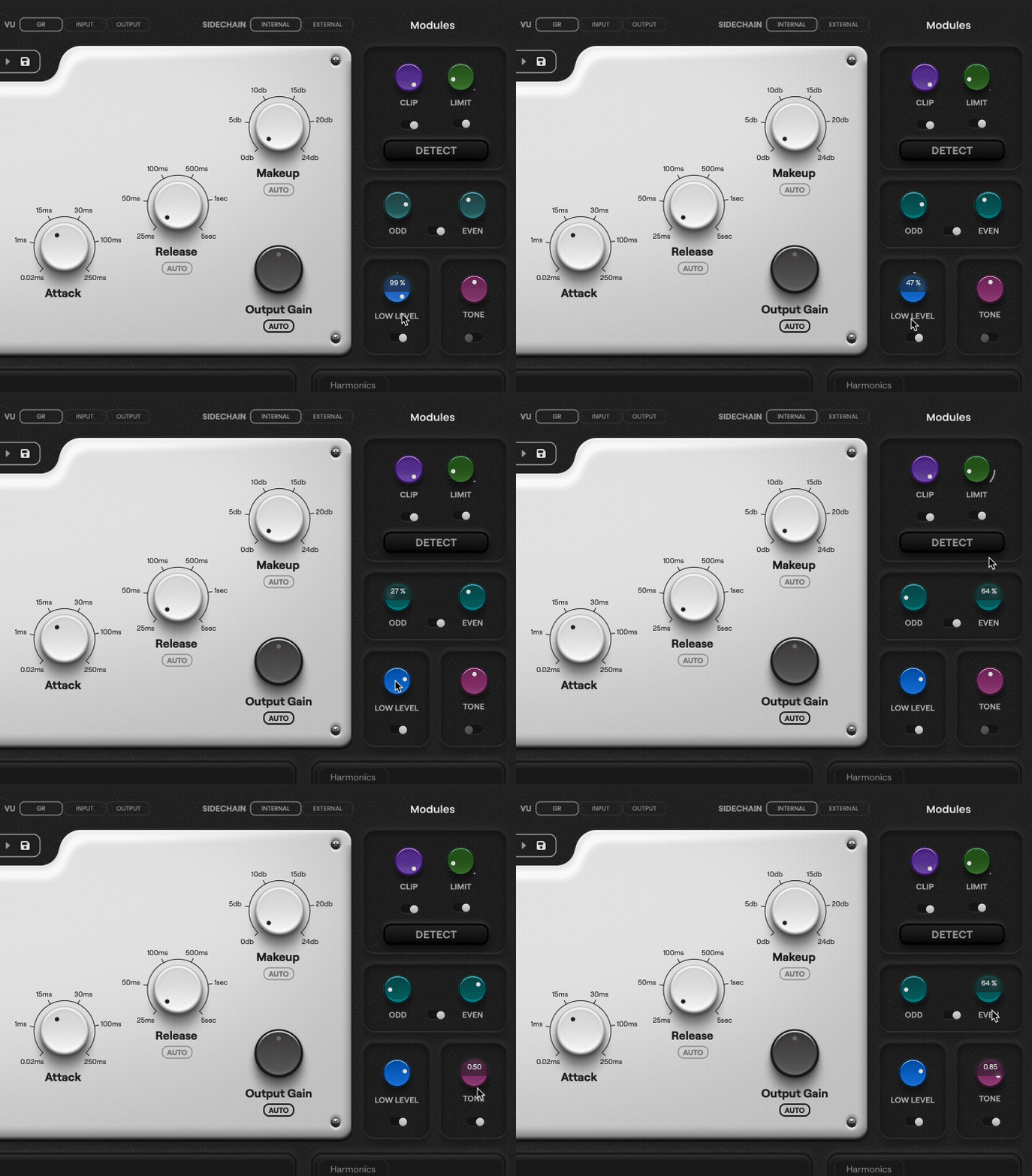
This plugin is designed to be a workhorse compressor, capable of a wide range of sounds and functions.
Of course, there will always be room for your favorite dedicated emulations of classic hardware...
But if you want one compressor that can get the job done 99% of the time, Open Compressor could be the "do-everything" tool for you.
A conventional compressor’s threshold control sets a fixed point (in dB), above which compression takes place. This is great when your source signal is consistent, but when you have lots of gain variation, the compressor will only be affecting the loudest parts.
Using Auto-Threshold, you can apply compression in a variable way, regardless of a signal’s absolute level, and obtain the same tone on your whole signal without losing overall dynamics. Great for expressive vocal takes or dynamic drums.
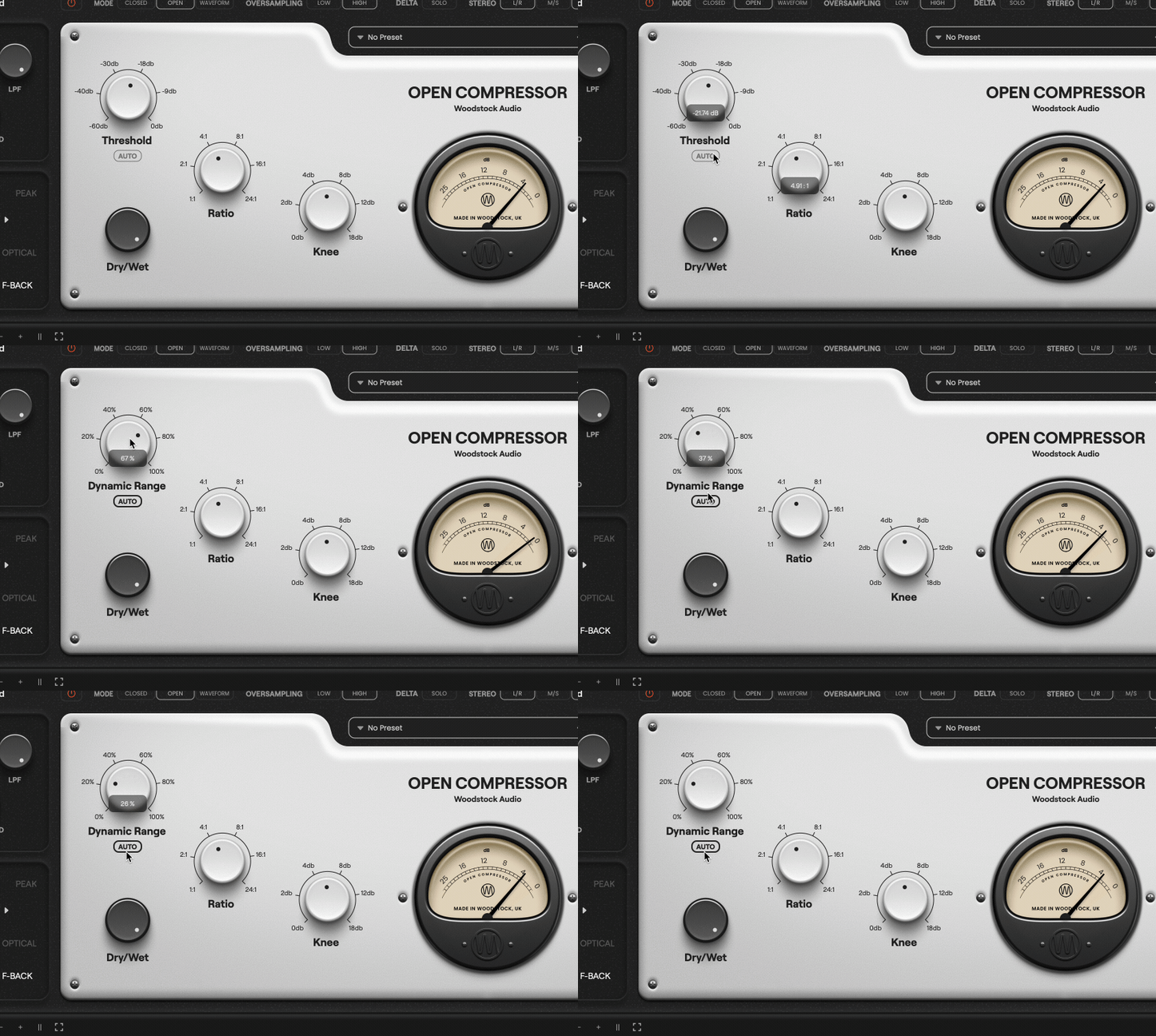
It can be difficult to find the balance between fast, aggressive compression that successfully controls transients; and smoother, slower compression that adds character and punch.
With Open Compressor, the clipper and limiter come before the compressor in the signal chain. That means you can catch and control transients in one click using the handy Detect feature, then shape the compressor to sound exactly the way you want, without compromise.
Rob, the founder, is the architect of the plugin. He draws the initial mockups, comes up with the core concepts, and plans all of the functionality and features.
A designer then takes the basic mockups and turns them into full finished GUIs using design software.
Once that’s done, a developer takes the designs and desired functionality, and writes the code to build it out.
After a year of hack and forth between Rob and the developer, finessing every element, Open Compressor was born.
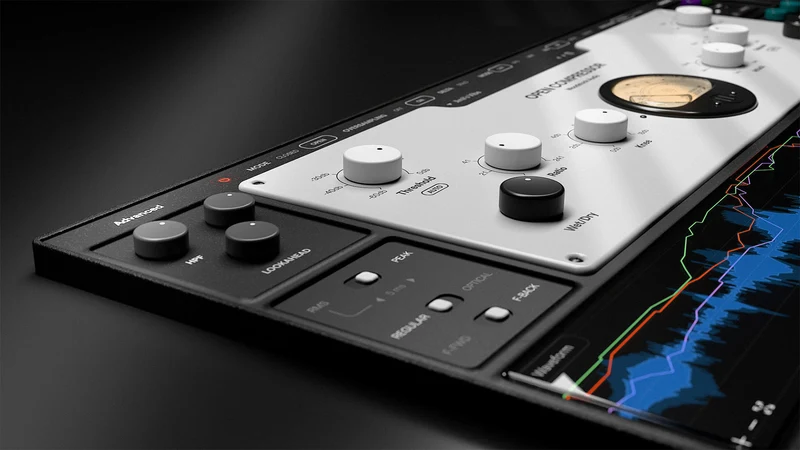
Wet/dry waveform, gain reduction lines and threshold lines for compressor, clipper, and limiter.
Tone control curve and spectrum analyser.
Odd/even harmonic mix and overtones.
Shows shape of compressor knee and gain-reduction status on the curve.
Shows the shape of the waveform as you add clipping and saturation.
Zoom in to see the Waveform view in higher resolution and fine-tune your settings.
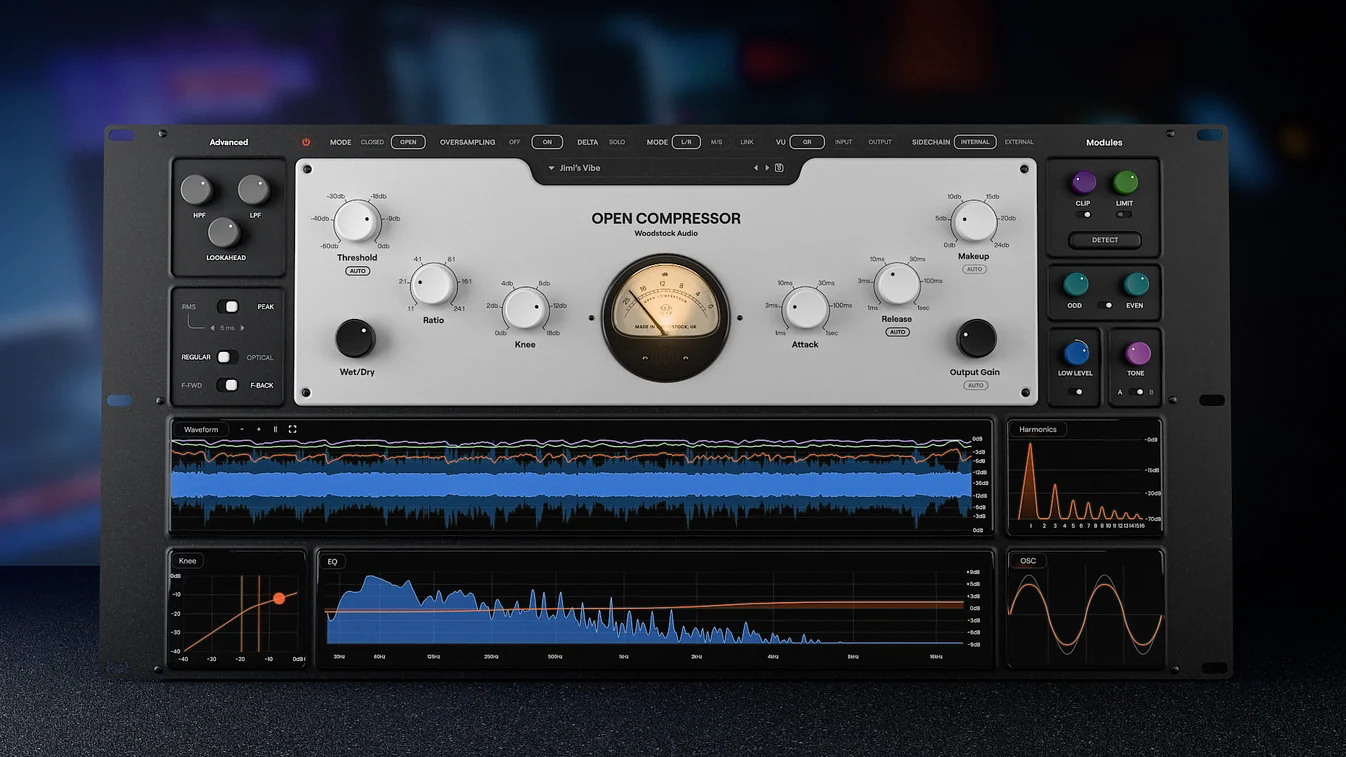
We built this compressor because we're very aware of the fact that compression is often the most difficult tool for people to understand.
We set out to build a compressor that would help you understand compression by effectively seeing inside the compressor, while also being a world-class swiss army knife plugin that any engineer would use.
Open Compressor is designed to give you all-in-one functionality (with clipping, limiting, saturation, and more) and allow you to effectively recreate any compressor you want using foundational, component-level controls, while simultaneously revealing what's actually happening under the hood. That way, you can develop a deeper understanding of the technical processes at play, and make better decisions for your music.
You can access the manual here: https://docs.google.com/document/d/1iI2BLVWJ-WAStp8_pftjcMmfdmXvjYvVeRECUAKfP38/edit?tab=t.0#heading=h.e77b71v9dnp4
The formats available are AAX, VST3 and AU.
macOS — 10.13+ (Intel) / 11+ (Apple Silicon). 64-bit DAW. 4 GB RAM (8 GB recommended). 200 MB disk. Internet for activation/updates.
Windows — Windows 10/11 (64-bit). 64-bit DAW. 4 GB RAM (8 GB recommended). 200 MB disk. Internet for activation/updates.
Tested hosts — Logic Pro, Ableton Live, Cubase, Studio One, Reaper, FL Studio, Pro Tools.
Dear Rob, Thank you very much for the update and your new platform. The process of updating Open Compressor was clear and very easy to do. Open Compressor is my compressor of choice because of the sound quality and the graphical display which I like very much. You’ve created a wonderful product and I’ll be following you in the near future. Good luck with all your work and many greetings from the Netherlands, Cornelis P.
One of the best compressors I own. While the nature of how it compresses is outstanding, I adore the characteristics properties like tone & harmonics. It's essentially a suite for me, the ability I have to control & shape a sound makes this easily a #1 option in my sessions.
The open compressor is great for shaping audio and showing you exactaly what is happening in real time. It combines core compression controls with built-in saturation, clipping, limiting, upward/downward dynamics, and detailed meters.
The 'open' part is the best - I can finally see what I'm doing and calibrate my ears better to change. Great for learning compression - better for using compression.
I love Open Compressor. It's so intuitive, most of the times it gives you what you need right out of the box. And harmonic saturations' option is really cool too. Really Nice plugin.
The better I get at mixing, the more I like what I call "one stop shop" plugins. This is that! It has compression, clipping, limiting, EQ, saturation and visuals to see how the "sausage" is made. It can emulate pretty much any compressor you might want for a particular application. You can eliminate those moments of hesitation when you're wondering which compressor to put on the track. Put on Open Compressor and it can be whatever you need.
I never leave reviews. This is my first. This is a great all in one compressor, with many modes emulating many other styles of compressor. It has a limiter and a clipper and odd/even harmonics, a Delta switch and an excellent GUI - and much more. Highly recommended.
The visualisation is a great learning tool plus the auto gain function is really helpful. The clipping and limiting tools are great asset.
It fits several tools into 1 with the option of seeing the graph of compression amounts which is very helpful. The auto settings are also dialed in nicely and work well. I have not had it that long at this point but I love it so far - it's now my go to compressor!